Your shop tells you what needs you
A new online order, a published rota, stock running low: Bees-X sends a notification to your phone, and the day’s takings to your inbox. You don’t have to keep a screen open to know.
What you are told
As it happens, to the right person
Each notice goes to the people it concerns, and to nobody else.
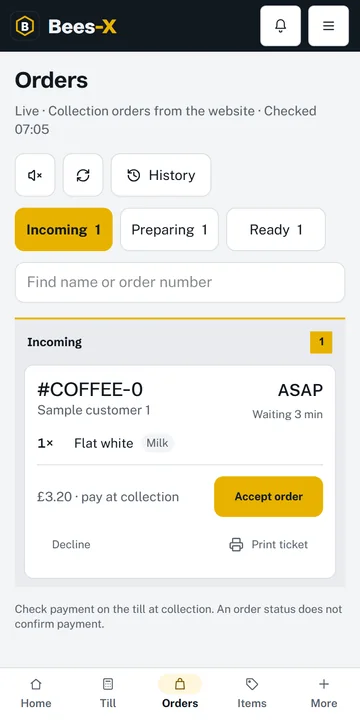
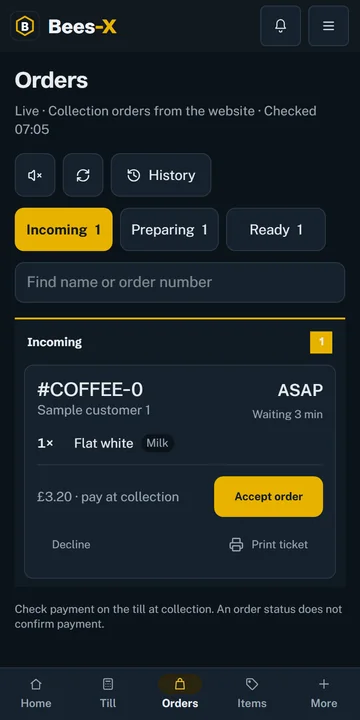
New online order
When a customer orders from your own page, your phone shows “New online order” as the order is placed. Tap it and Orders opens.
Rota published
Publish the week and each person on it gets “Rota published” on their phone, as well as their shifts by email.
Holiday decided
When a manager approves or declines a request, the person who asked gets “Holiday updated”.
Stock running low
When items reach the level you set, the owners and managers of that shop get “Stock needs attention”, with how many items are low.
Today’s takings by email
Choose a time and the daily summary of sales and hours arrives in your inbox. Weekly hours arrive every Monday at 7:00.
On the bell too
With Bees-X open in a browser, new orders and clock-ins that need checking show on the bell at the top of the screen.
How to switch it on
Two minutes, once
The notifications come through the Bees-X EPOS app. Available for Android phones and tablets in the UK and Ireland.
Install the app
Get Bees-X EPOS from Google Play and sign in with your Bees-X email.
Allow notifications
Say yes when the app asks to send notifications. You can change it later in your phone’s settings.
Choose your alerts
In Settings, Notifications, switch on A new order arrives for each shop you want to hear about, and pick the time for the daily summary.
Set your stock levels
On each stock item set Alert at. That is the level the stock notice uses.
Send a test
In the app, open Settings, Sign-in, and press Send a test notification. Your phone shows it within moments, so you know it works before the first order.
Your team
Staff install the same app and sign in with the email their manager invited. They get their own rota and holiday notices.
Good to know
What a notification never shows
A lock screen is public, so the words stay general.
No names, no amounts
A notification never names a customer, an item or an amount. It says an order is waiting; the details are inside the app, behind your sign-in.
Only the right people
Order alerts go to the owners and managers who switched them on for that shop. Staff are told about their own rota and holiday, not about takings.
Nothing depends on one phone
Every order is also on the Orders screen and on the bell in the browser, so a phone that is off or out of battery loses nothing.
On an iPhone or iPad
Bees-X runs in Safari. New orders show on the bell while it is open, and the daily summary and low-stock alerts come by email.
Read next
Where the alerts come from
Questions we get asked
Do I need the app to get alerts?
For a notification on your phone, yes: the Bees-X EPOS app for Android. Without it, new orders show on the bell while Bees-X is open in a browser, and the daily summary and low-stock alerts come by email.
What do the alerts cost?
They come with the till at one price. 30 days free, no credit card. Then £9.99 or €9.99 a month for one shop and 2 people, then £1.99 or €1.99 for each extra person and £4.99 or €4.99 for each extra shop. Every feature is included.
How quickly does a notification arrive?
An order alert is sent as the order is placed. Rota, holiday and stock notices follow within about five minutes.
Will my staff see my takings?
No. Staff are told about their own rota and holiday. Order and stock alerts go to owners and managers, and the daily summary goes to the email address of the person who switched it on.
Does a notification show the customer’s name or the amount?
No. It says that an order is waiting, or how many items are low. The details are inside the app, behind your sign-in.
I have two shops. Can I choose which one I hear about?
Yes. The new-order alert is switched on for each shop separately, and stock levels belong to each shop.
Something else? Every question is answered in Help.
30 days freeNo credit card
Start free